A progress update needs your attention when it asks you for information, a selection or approval. Identify the question, the current reference and any response date stated. If one of those details is missing, clarify it with the project team. Bradford Construction Management’s custom-home design-build process explains how project communication fits the wider build.
Key Takeaways
- Distinguish a progress notice from a request for information or a decision.
- Find the specific question, responsible person and current reference.
- Confirm a stated response date and unresolved details with the team.
- Keep a selection reply separate from written approval of a scope or cost change.
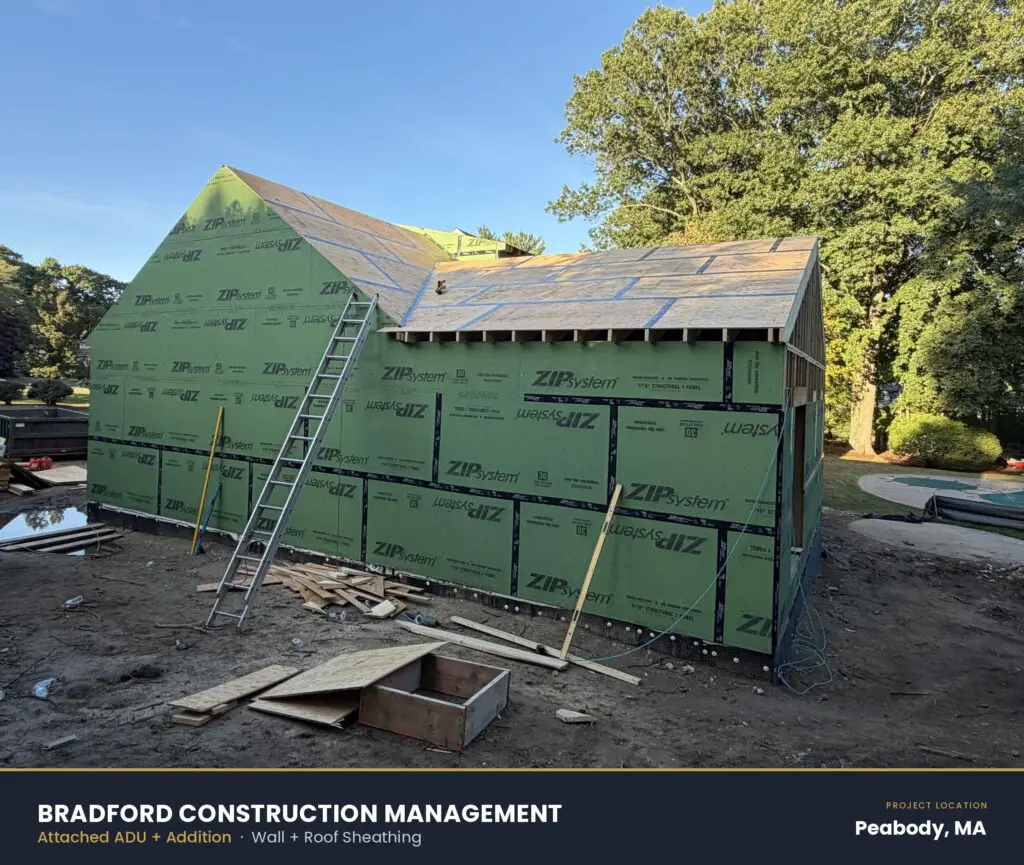
Construction progress example from an attached ADU and addition in Peabody, MA.
What Does a Custom Home Progress Update Show?
A progress update can combine a written note, photographs and references to project information. Bradford Construction Management provides daily field reports and project schedules through its client portal, with a dedicated Project Manager as the homeowner’s day-to-day contact. A dated photo shows the work visible when it was captured; the accompanying note explains the context and any question for the homeowner.
What should homeowners look for in a daily photo update?
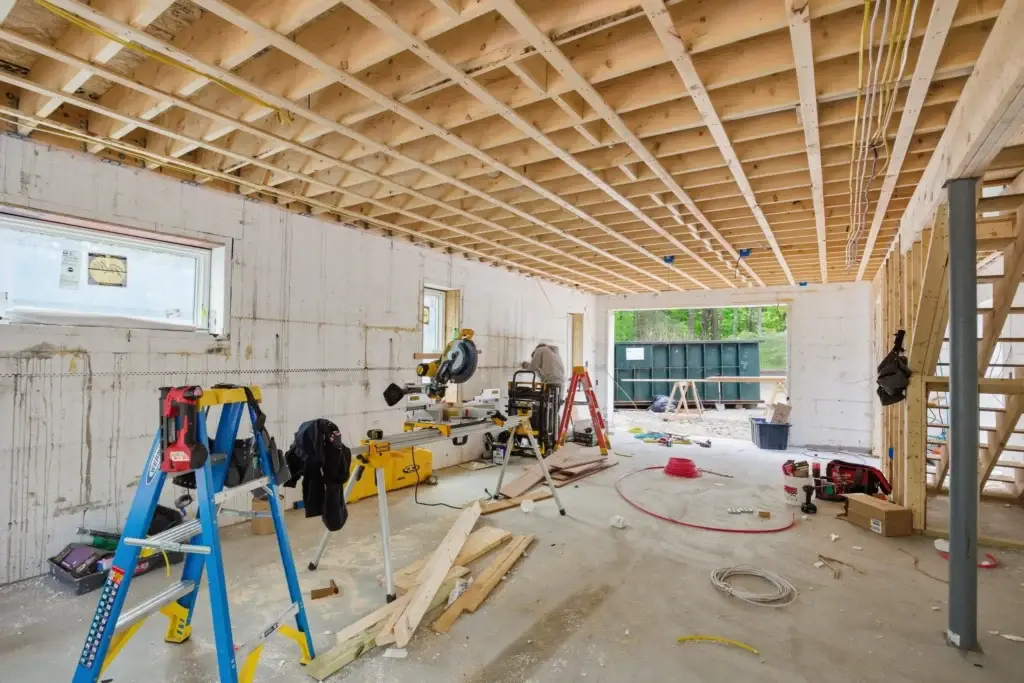
Look for evidence that matches the week’s schedule: framing where framing was planned, rough electrical where rough electrical was planned. A mismatch between photos and schedule is worth a quick question to the project team, not a source of alarm. Consistency over time matters more than any single day’s image.
Why do progress updates matter for custom home progress update decisions?
Updates give homeowners the information needed to make timely calls on finishes, fixtures, and changes before work gets covered up. Clear, dated photos turn abstract construction stages into something homeowners can actually evaluate. Understanding each stage, from early planning through the final walkthrough, makes the entire experience feel more predictable.
Reading these updates well typically involves tracking a few recurring elements:
- Date and stage shown in each photo set
- Trade activity visible that day (framing, mechanical, electrical, drywall)
- Comparison against the prior week’s images to confirm forward progress
How Do You Read Daily Field Reports?
A daily field report records site activity and helps place a question in context. Read its date, the work described and any next step stated in the note. Bradford Construction Management’s client portal includes daily field reports, schedules, selection records and formal questions. These capabilities support communication; the reader still needs to identify whether a particular entry asks for information, records progress or requests a decision.
The current schedule and relevant drawing or selection provide useful reference points. Check which version the update refers to before answering. A previous plan, a new product option and an approved selection may look similar in a message thread while carrying different status. If the reference is unclear, identify the specific document or item with the project team.
What should a homeowner look for in a progress photo?
A progress photograph shows the visible condition at the time it was captured. Use the accompanying note to identify the room, work and question involved. Compare it with the relevant current reference rather than interpreting an image as a complete record of the site. If a detail raises a question, refer the team to the photograph and describe what you want clarified. A photograph alone does not confirm an inspection result or establish that concealed work is complete.
Why do some updates mention inspections or milestones instead of tasks?
A milestone note can mark a stage, an inspection event or a planned transition. Read the wording for its actual status: planned, awaiting a result or confirmed. The note may be useful background without requiring homeowner approval. Where a team member asks for your decision, that request should identify the choice and what information is needed. The qualified team remains responsible for technical assessments.
Which Milestones Deserve Your Closer Attention?
Pay closer attention when an update connects a specific choice to work that is being planned, ordered or coordinated. The question may concern a selection, a layout detail or missing product information. The useful distinction is the action requested, rather than assuming every note at a construction milestone needs your approval.
The following categories are a general reading aid, not Bradford Construction Management’s portal labels. A completed-work notice tells you what has happened. An upcoming-work notice helps you understand the next stage. A request for information asks for a fact or document, such as the appliance model you selected. A selection request asks you to choose or confirm an item. A proposed change asks you to consider an adjustment to agreed work, with its scope, cost and timing reviewed separately.
How Do You Read the Requested Response Date?
Use the response date stated for the specific question. If none is given, confirm when the answer is needed and who should receive it. If you need more information or cannot answer by that date, make that visible to the project team. Do not assume a universal deadline for every fixture, appliance or layout choice; the work and the decision determine the timing. If you have not decided, say what information is still needed and confirm the next step. Give an explicit response through the agreed communication route rather than leaving the team to infer your decision from silence.
How does pricing connect to milestone updates?
When a proposed selection or change affects cost, identify the actual item and ask the team how the adjustment will be documented. Bradford Construction Management documents changes and obtains written approval before they happen. The custom-home cost guide explains the broader budget approach. A routine field-report reply should not be mistaken for approval of an unclear change.
A useful checklist for milestone updates includes:
- What exactly am I being asked to decide?
- Which drawing, product or selection version is the reference?
- Who owns the answer and who receives it?
- What response date and further approval are stated?
When Does an Update Need Your Decision?
Some updates ask for a reply; others simply record progress. Reading construction progress updates well means looking for a clear question and the next step attached to it. An illustrative note saying ‘The cabinets have been installed’ reports progress. A note asking ‘Which handle selection should the team use?’ requests a decision. Those examples are a reading aid, not excerpts from a real client report.
A proposed scope or cost change needs its own clear written approval record. Confirm what is being proposed and which record captures the decision before treating a conversation as settled.
One accountable project manager serves as the homeowner’s day-to-day contact to manage questions and verify who owns each reply.
Why do decisions often cluster partway through a build?
Several selections can become relevant around the same work sequence. Read each request individually and check whether one answer depends on another, such as a fixture choice that needs an updated product detail. Keeping the item and its reference visible helps the team see what is settled and what still needs information.
A quick filter helps sort the noise from the real triggers:
- Photo update, possibly with questions: framing progress, rough-in photos, site cleanup images.
- Information requested: specific facts or documents.
- Decision required: a selection to confirm, or a proposed change to review through its separate written approval record.
How Do Updates Keep Your Project on Track?
Bradford Construction Management is based in Plaistow, NH and serves Eastern Massachusetts and Southern New Hampshire. Its project documentation gives homeowners a reference for discussing completed work, upcoming decisions and open questions. One accountable team guides design, permitting, and construction to keep these moments simple and organized.
Reading these updates well means watching for two things: what work finished and what choice needs an answer. Learning how to read construction progress updates starts with separating routine status notes from items that require a response. Framing photos show visible work at the time of capture. A note asking about a fixture finish or a wall placement is a prompt to act.
What decisions come up during the build?
Custom home progress update decisions typically involve selections tied to a specific construction phase, like finish materials, appliance fit, or layout confirmations before walls close. Selection decisions can affect the construction sequence; actual deadlines should be confirmed with the project team.
Why does the overall timeline matter to these updates?
Seeing where a project sits in the full timeline helps homeowners plan related moves, such as selling a current home, arranging temporary housing, or tracking budget milestones. Updates tied to timeline context carry more meaning than isolated photos.
Keep the decision reply with the referenced selection or drawing so a later reader can see what was answered. If an update raises a broader question about financial reporting, the guide to reading an open-book custom-home budget explains that separate record. The active-build update should remain focused on the question and next action.
FAQ
What signals that a progress update needs your decision?
Look for a question directed to you, the current information needed to answer it and any response date. If the request or timing is unclear, confirm it with the project team. A material name, photograph or budget reference alone is not an approval request.
How can homeowners tell if daily photos match the schedule?
Compare each photo set against the week’s planned work, such as framing or rough electrical, and check it against the prior week’s images. Recognize that daily photos show limited visible work and do not confirm inspections.
Why do daily timestamped photos matter for decision-making?
Daily timestamped photos give homeowners a dated view of the work visible when the photographs were taken. They help flag decision points before work gets covered up. Bradford Construction Management’s client communication process supports tracking selections and tradeoffs clearly.
Conclusion
A useful response identifies the decision, references the current information and makes any unanswered question clear. If you are planning a custom home, Bradford Construction Management can discuss how its project communication and documentation support homeowner decisions. Start a project conversation about the home you want to build and the way you want to stay informed.